In this blog post we will be discussing how to split Microsoft SQL Server Audit logs from your General Application and Security Windows Event Logs in Bindplane, in order to ensure the logs are being parsed correctly in Google SecOps.
If you have integrated your SQL Audit Logs as per the Google Integration guide for SQL Server then its likely you have setup your SQL configuration to forward the Audit logs to Windows Event Logs (either the Application or Security folder). The reason this becomes an issue is due to parser you need to configure in Bindplane for those logs. When you are sending these logs to either the Application or Security folder of your server, they end up in the same place as your general application and security logs that you have enabled for your environment. The reason this is an issue in this logging pipeline is simply because Google uses a different parser for the general Windows Application and Security logs you would enable via GPO i.e. Windows 4624: An account was successfully logged on compared to audit logs you from your SQL Server. For the general Windows Application & Security logs, you need to use the WINEVTLOG parser (Google SecOps Standardization) to ensure correct parsing and for SQL Server Audit you need to use MICROSOFT_SQL.
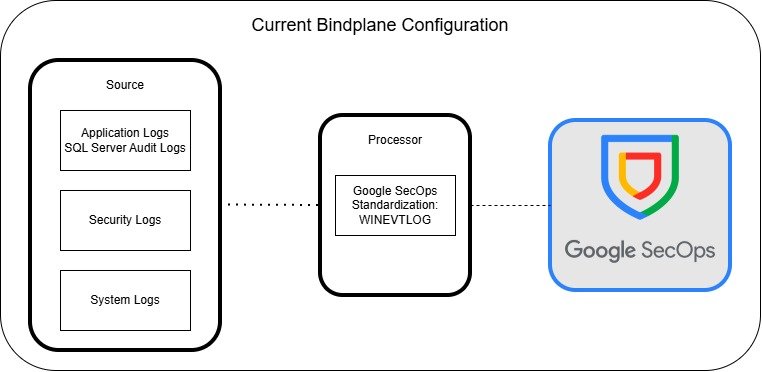
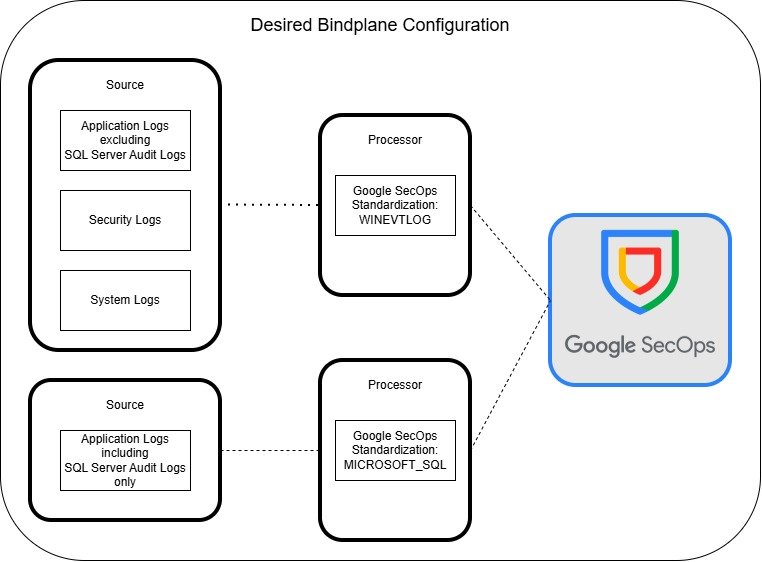
The illustration above highlights how you likely have your current Bindplane configuration setup and the desired configuration which will allow you to split the logs and assign the correct parser, ensuring your logs being ingested correctly. To do this, simply follow these steps:
Step 1 – Regex Exclude
The first step is to exclude the SQL Server Audit logs from your existing Windows Event Log source in your Bindplane configuration. To do this simply add the “Filter by Regex” processor, set the action to “exclude” and use the below regex to exclude all SQL Audit logs from this logging pipleline. Keep the match field as “Body”. This regex is simply going to exclude all logs where the log has <Provider Name=’MSSQLSERVER’ in the raw log and exclude it from being processed.
\<Provider Name\=\'MSSQLSERVER\'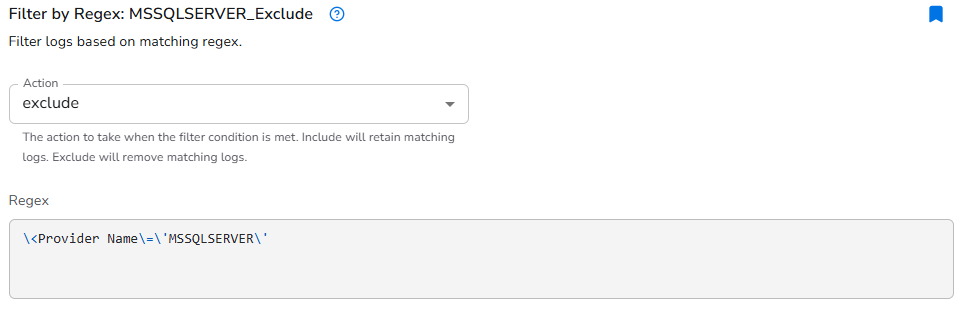
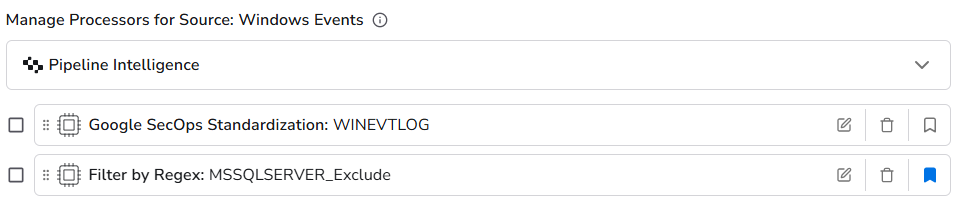
The final processer should look something like below. This will ensure SQL Server audit logs are excluded from being processed with the WINEVENTLOG standardization.
Step 2 – Create New SQL Source
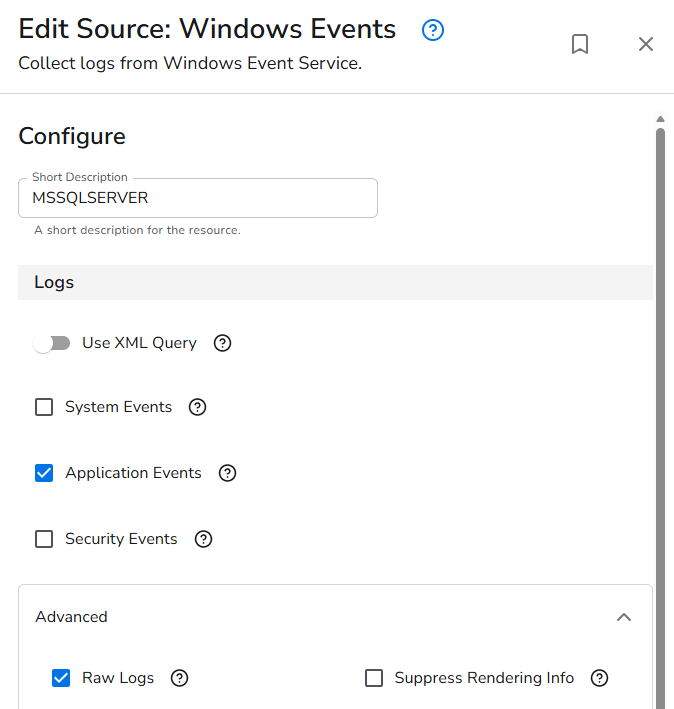
Next you need to create a new Windows source that will be used to feed the SQL Server Audit logs you have just excluded from the previous step to a new processor with the correct Google SecOps Standardization. It should look something like the below configuration.
Step 3 – Create New SQL Processor
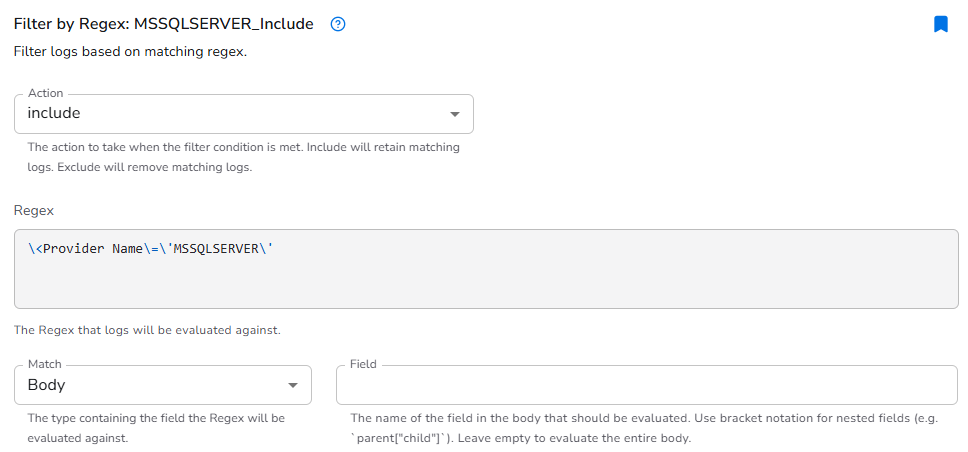
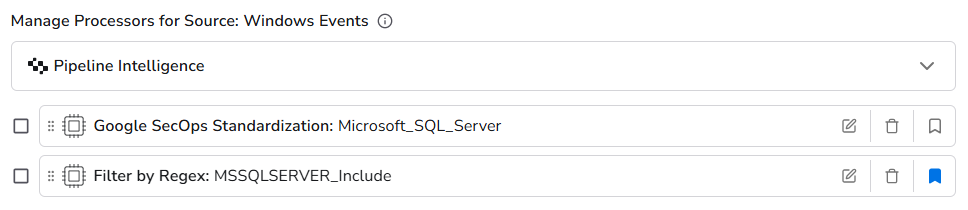
Now we need to create a new processor, that will process the SQL Server Audit logs to the correct Google SecOps Standardization. To do this, we are basically doing the reverse of step 1. Simply add the “Filter by Regex” processor, but this time set the action to “include” and use the same regex as step 1 to only include SQL Audit logs for this logging pipleline. Keep the match field as “Body”.
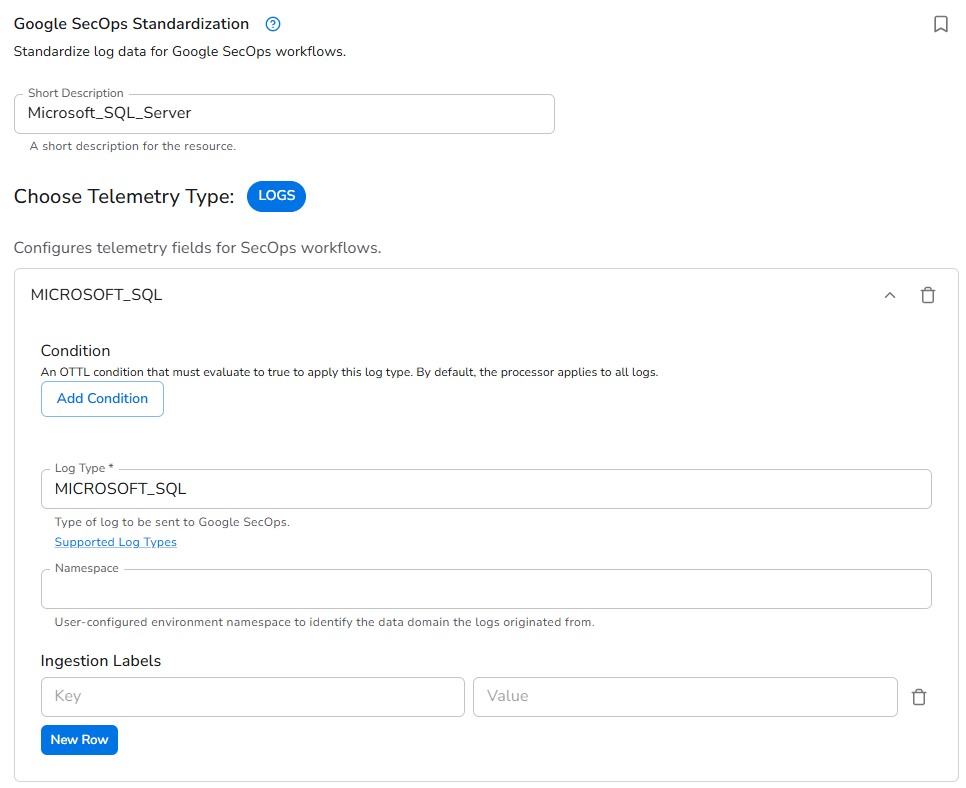
Then add the Google SecOps Standardization and set that to MICROSOFT_SQL.
Step 4 – Rollout Changes
Final step is to simply roll your changes in Bindplane. I would advise keeping an eye on your logs just to make sure you have implemented things correctly and are not dropping any logs from the change. If you have issues, you can simply revert back your change.
Final Result
Once this is all complete, you should now be seeing your SQL Audit Logs in Google SIEM being parsed correctly, what you will immediately see is more fields being parsed out compared to using the WINEVTLOG parser, which did actually parse out SQL Audit logs, it just didnt parse it fully and this how to do that!